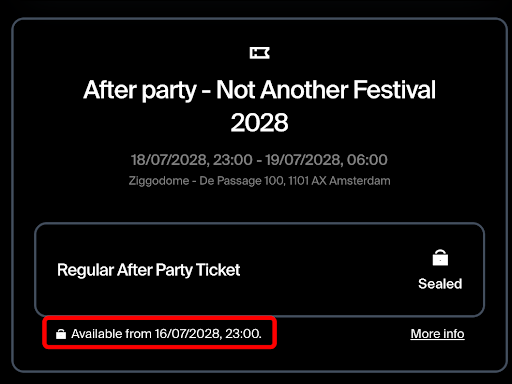
When will my tickets be available/unsealed?
Can’t see exactly when your tickets will be unsealed? Follow these steps to find out!
1. Open the confirmation email you received from tickets@weeztix.com. Don’t forget to check your spam folder if you can’t find it.
2. Click on Download tickets to open the page with your tickets and order details.
3. If personalisation is enabled but you haven’t completed it yet, make sure to fill in all the required details and save your personalisation to view the seal date.
4. You can find the seal date on the page that opens after clicking “Download tickets”. Below the ticket box, you’ll see a lock icon next to “Available from”, followed by the date and time when the tickets will be available for download.